

 한국어
한국어 English
Culture Capital
Deleting account
How to Delete Your Account

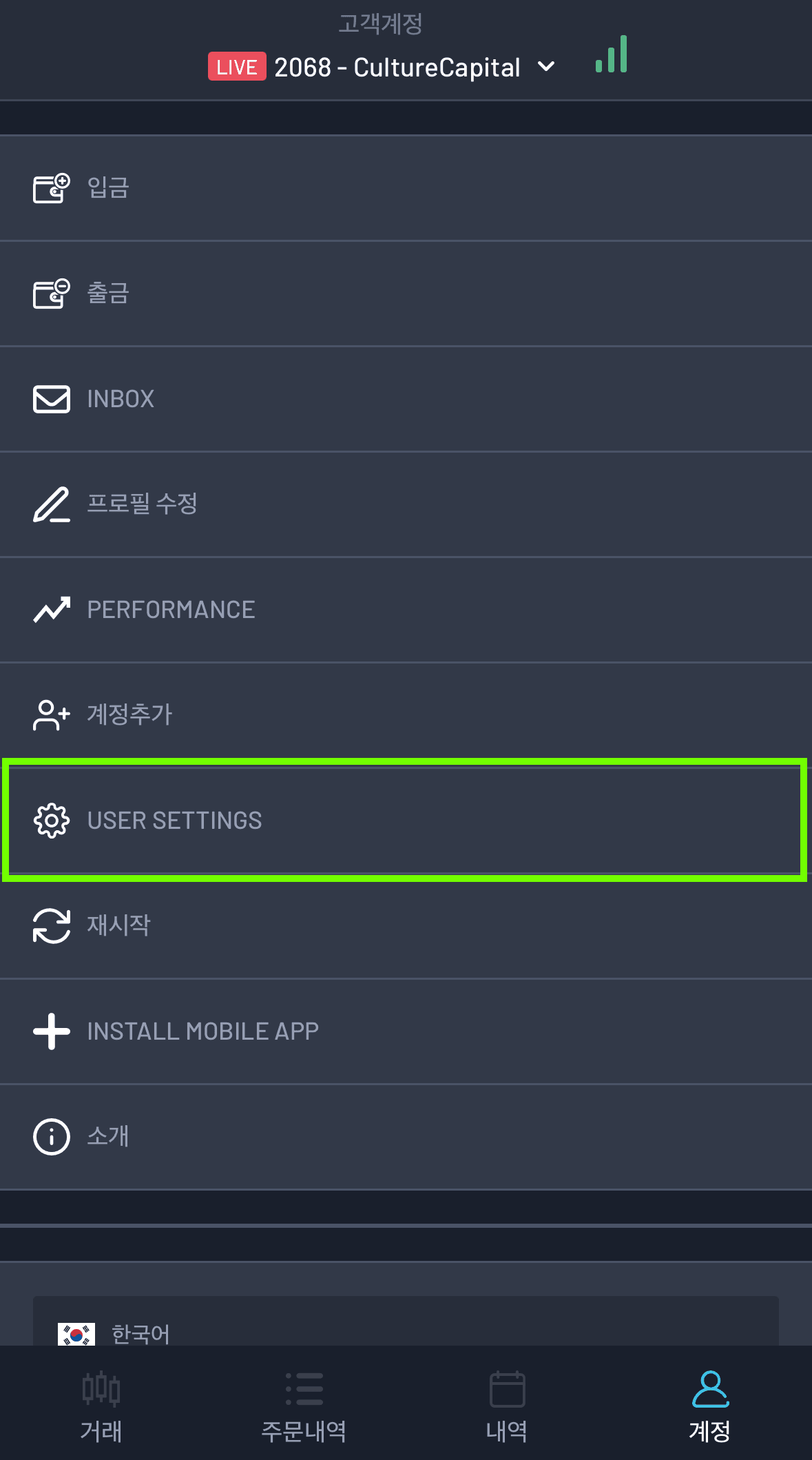
1. Click the Account tab
2. Click USER SETTINGS
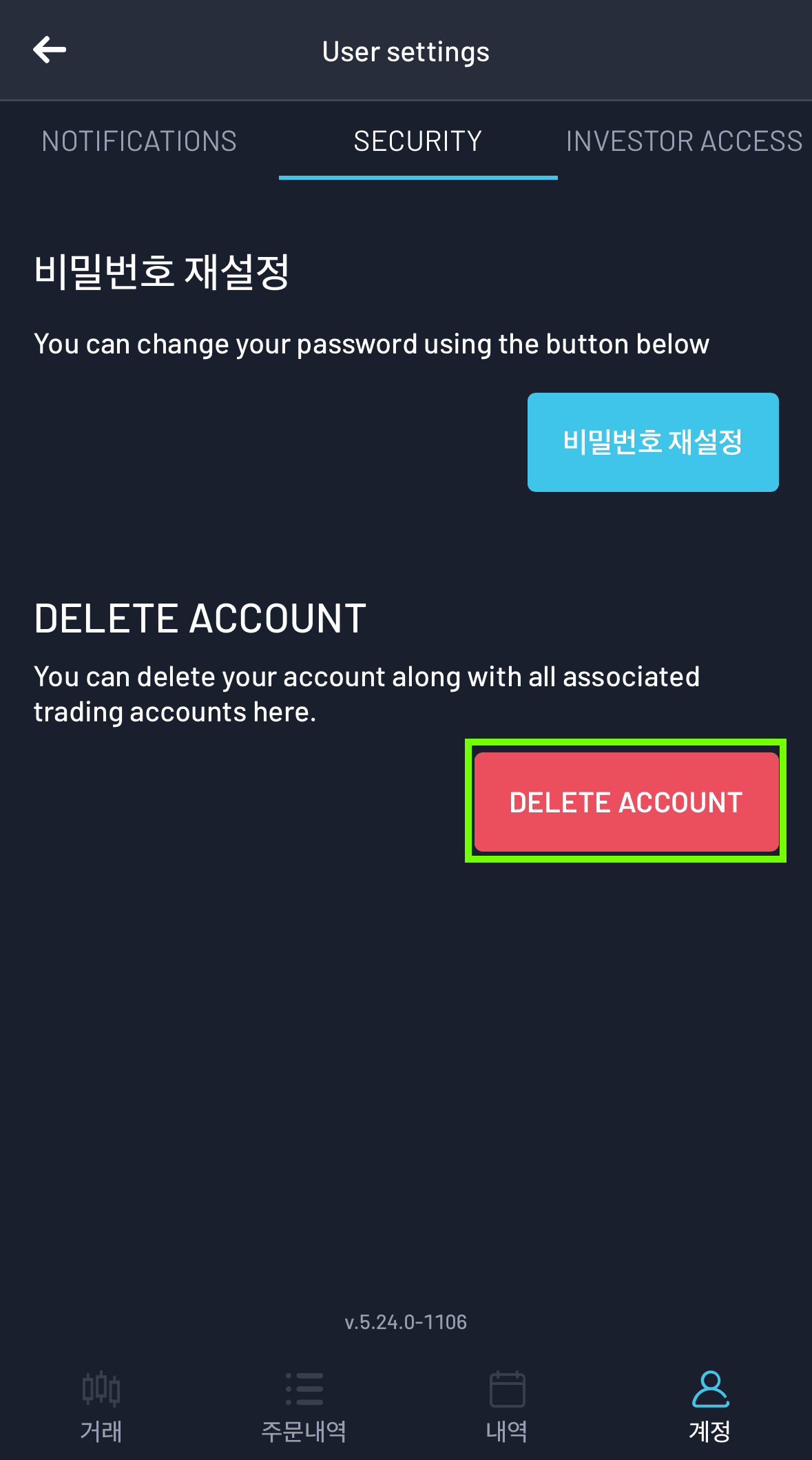
3. SECURITY > DELETE ACCOUNT
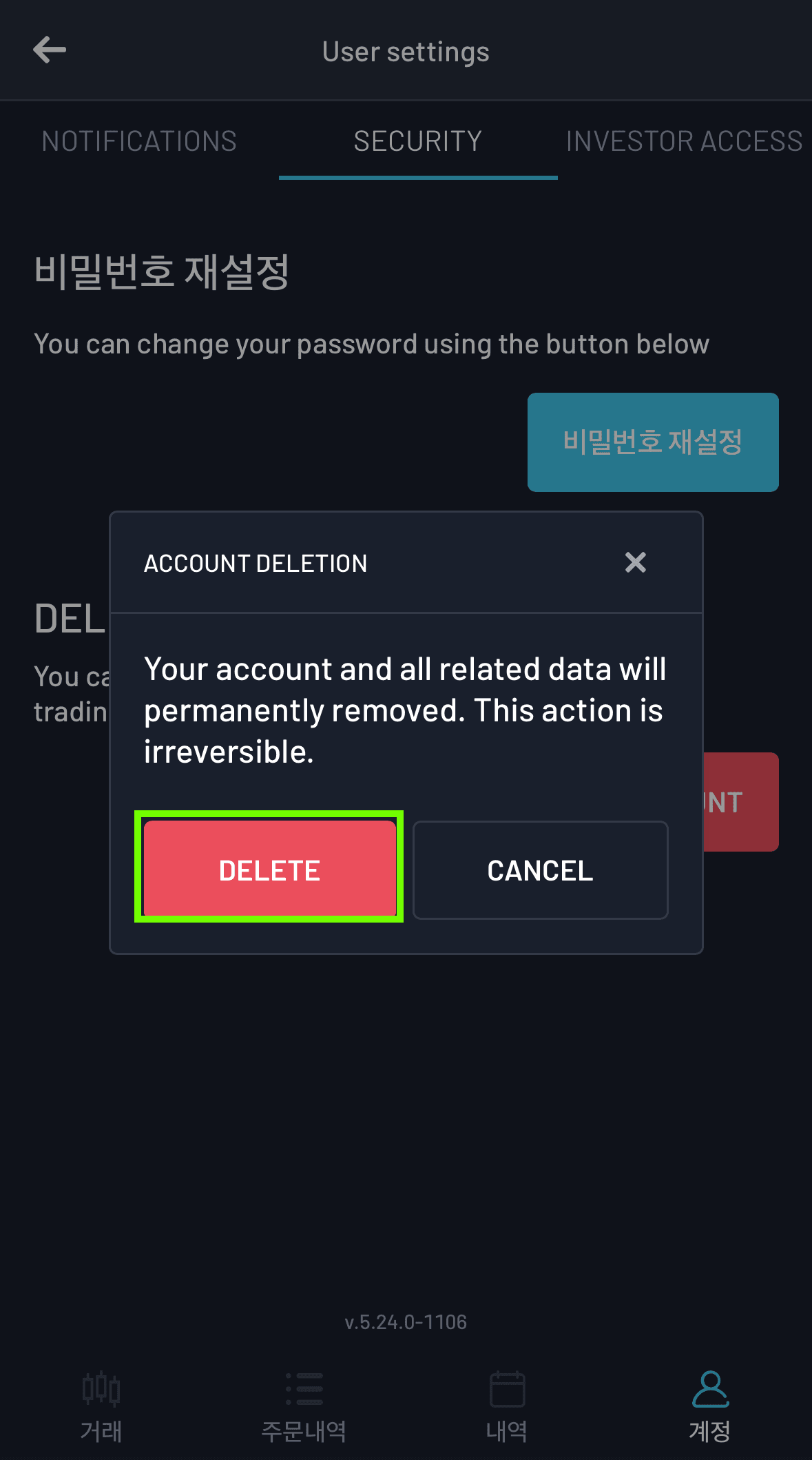
4. Click the DELETE button
* Deleting your account will permanently remove it.
When a user requests data deletion, all related information is completely removed from our systems, with the exception of email, first name, and last name.
These specific details are retained in our database solely to notify the user in the event they request account deletion while the app is still in use, ensuring continuity of and compliance with our data retention policy.
This data can be removed upon request.